

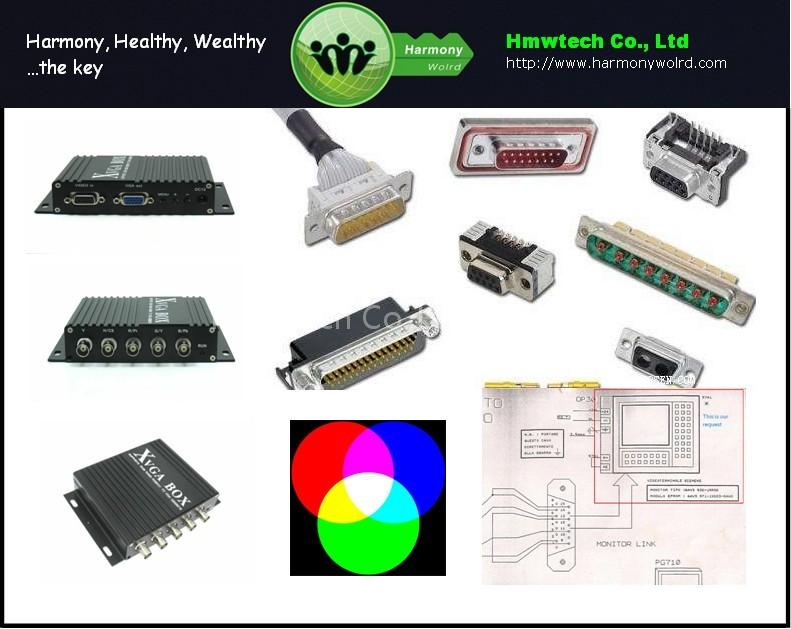
Rgb To Vga Converter is a Consumer Electronics product. Key specs — Brand: H.M.W.; Origin: China.
Product Description
Content of RGB to VGA Multisync CONVERTER   1. What is a RGB to VGA industrial Converter?
Our RGB to VGA CONVERTER is a conbination of nbsp; RGB SOG green Sync to VGA  nbsp; RGB SOB(blue Sync to VGA  nbsp; RGB SOR(red Sync to VGA  nbsp; RGBS (composite Sync TO VGA  nbsp; RGBHV ( discrete Sync TO VGA nbsp; CGA TO VGA nbsp; EGA TO VGA nbsp; MDA TO VGA 1, support 12k to 40k H video signal ,automatical y recognized, no limitation on V value.
2, support RGB & YPbPr video format. 3, support interlace scan & progressive scan. 4, support vertical resolution from 200 lines to 600 lines,automatical y recognized.
5, Support any kind of horizontal freq,automatical y recognized.6, support discrete Sync   signal , composite Sync signal or Sync signal composite on video signal, automatical y  recognized. 7, output 800*600 V freq 60Hz standard VGA signal or customized resolution.
8,output support: al kinds of LCD display ,CRT monitor ,LCD TV and so on. will help you to fix it out very easily.
RGB to Vga converter HC1011 will very easily to create an industrial monitor LCD upgrade, RGB Industrial Monitor, RGB monitor, RGB Display, RGB Screen LCD upgrade , MDA Industrial Monitor LCD upgrade, CGA Industrial Monitor LCD upgrade, Ega Industrial Monitor LCD upgrade, Mda Industrial monitor LCD upgrade.
Our RGB to VGA CONVERTER will help you to fix it out very easily.  
2. Brief Inctroduction of RGB to VGA CONVERTER, HC1011
nbsp nbsp HC1011 (RGB to VGA CONVERTER )supports RGB CGA EGA MDA RGBHV signal converting to VGA signal, which can be fed to  monitor ,CRT monitor ,projector, TV,and many other devices, replacing your old display  with ease.
It has clear graph,stable performance,is widely used in digital control CNC  monitor ,industrial monitor ,imported DCS monitor , analytical device, navigation monitor ,  medical device , airport system, railway system, financial device , special monitor , game  arcade, entertainment monitor.
HC1011 (RGB to VGA, CGA to VGA, EGA to Vga, MDA TO VGA CONVERTER ) is highly adaptive to different parameters. It is  the best old monitor replacement solution nowadays.
3. How do we USE an RGB TO VGA Converter? Application case digital control monitor & industrial monitor repalcement. It has been  widely used in industrial ,business , analytical device industrial monitor  products. It is used to replace old devices with special CRT monitor  components.
This product is widely used, including: Automatic Control  System for industry,DCS(distributed control system) & special instrument  system, digital control CNC. Soldering robots. Financial ATM device. PCB  board manufacturing device.
Airport, Safety X-ray checking device.  HC1011 (RGB to VGA, CGA to VGA, EGA to Vga, MDA TO VGA CONVERTER ) can convert video signal from RGB signal  (4pin,9pin,7pin,including B/W and so on) to VGA standard signal, which  can be fed into LCD monitor ,CRT monitor ,projector, LCD TV and so on.  Replace old display system.
It has clear graphs , stable performance  and is widely used in many fields. 1956, FANUC company stared. They make digital control system & industrial robots.  They have made more than 40 products since 1960s. The digital control equipments they  are producing are F0,F10/F11/F12,F15,F16,F18 series.
F00/F100/F110/F120/F150 series  add MMC on F0/F10/F12/F15, that is CNC,PMC,MMC three-in-one CNC. FANUC digital  control systems are famous for their functionalities, reliabilities. Most of FANUC monitor on FANUC digital control CNC from 1980 to 1990 are very old  and dying. However, there is no support for these old CRT monitors.
In order to make  these FANUC CNC to work for a longer time, we must replace these monitors with new  LCD monitors. The following are examples of replacing old FANUC monitor with the help  of our HC1011(RGB to VGA, CGA to VGA, EGA to Vga, MDA TO VGA CONVERTER ). nbsp CASE1.
FANUC O-M original monitor (blinks after long time working)     FANUC O-M digital control CNC video signal connection FANUC O-M digital control CNC video signal connection with HC1011(RGB to VGA, CGA to VGA, EGA to Vga, MDA TO VGA CONVERTER ) after  modification   After the connect with source signal, you can just usd a general vga monitor to connect with HC1011(RGB to VGA, CGA to VGA, EGA to Vga, MDA TO VGA CONVERTER ), the appearance as follows      CASE2.
Repair a NUM 760 Monitor NUM company has been doing their business for a long time. For recent 30 years, NUM  machines has been used in many industrial fields. NUM760  Earlier NUM machines display systems are almost dead.
The company never support  new monitor nor replacement device; Therefore, we need to replace NUM monitor with  some standard monitor. The following is an introduction to NUM760 monitor  replacement. nbsp
NUM CRT Replacement of NUM signal  source board NUM This NUM signal source board has good quality. signal connector is on the left top of that  board, signal wire is black, includes: H( red cable , V( yellow cable , video ( blue cable ,  GND (yel ow green & white cable  We use HC1011(RGB to VGA, CGA to VGA, EGA to Vga, MDA TO VGA CONVERTER ), , converting NUM760 signal to standard VGA signal .
HC1011(RGB to VGA, CGA to VGA, EGA to Vga, MDA TO VGA CONVERTER ), signal input definition
This NUM monitor wire connections NUM signal wire( red wire HC1011(RGB to VGA, CGA to VGA, EGA to Vga, MDA TO VGA CONVERTER ) H( pin 8) NUM signal wire( yel ow wire HC1011(RGB to VGA, CGA to VGA, EGA to Vga, MDA TO VGA CONVERTER ), V( pin 9) NUM signal wire( blue wire HC1011(RGB to VGA, CGA to VGA, EGA to Vga, MDA TO VGA CONVERTER ), R,G,B pin (connect to pin 3,4,5) NUM signal wire(yel ow green wire & white wire HC1011(RGB to VGA, CGA to VGA, EGA to Vga, MDA TO VGA CONVERTER ), GND ( pin 1,2  one of them), no other wire is needed.
Connect to the new monitor , using HC1011(RGB to VGA, CGA to VGA, EGA to Vga, MDA TO VGA CONVERTER ), set to RGBHV, done! NUM760  The result of the replacement is really stable.
It solved the problem caused by aging  NUM monitor.  HC1011(RGB to VGA, CGA to VGA, EGA to Vga, MDA TO VGA CONVERTER ),brief introduction  HC1011(RGB to VGA, CGA to VGA, EGA to Vga, MDA TO VGA CONVERTER ), industrial , digital control display signal converter can make NUM signal  source devices’ non standard signal source convert to VGA standard signal ,directly  used on LCD monitor ,CRT monitor .
HC1011(RGB to VGA, CGA to VGA, EGA to Vga, MDA TO VGA CONVERTER ), can perfectly replace your old display with  stable output. It is widely used in many NUM digital control device replacement. nbsp
4.
Specification of RGB TO VGA CONVERTER HC1011  ********************Input******************** Signals:MDA,CGA,EGA,RGB,RGB Sog,RGBS,RGBHV,YPbPr Interface: 5BNC, 9pin,3pin,6pin,14pin,15pin,20pin,25pin Horizontal Frequency Rate(H):12kHz to 40kHz automatically recognized  ********************Output******************** Supports D-15pin standard VGA/SVGA,Resolution:800*600/60HZ, 640*480/60hz Interface: D-Sub 15 PIN standard VGA port  ********************Power******************** DC 12V 1.0A Note 1.YPbPr = YUV 2.Input Horizontal Frequency Rate 12kHz to 40kHz automatically recognized.
3.Support RGB/RGBSOG/RGBHV CGA/EGA/MDA and YPbPr 4.Support Interlaced Scanning and Line by Line Scanning. 5.Support Vertical Resolution from line200 to line 600 automatically recognized. 6.Support variable Horizontal Resolution automatically recognized.
7.Support RGBHV (separate sync) ,RGBS (composite sync), automatically recognized 8.Output resolution: 800*600/60Hz standard VGA or custom-resolution.
 
5. Interface connector discription of RGB TO VGA industrial converter  
Item Spec.
Remarks â‘ V To connect V interface of the input device   â‘¡ H/CS To connect H(CS) interface of the input device  â‘¢ R/Pr Red signal input/ Pr signal input  â‘£ G/Y Green signal input/ YPBPR -Y signal input  ⑤ B/Pb Blue Signal input/YPBPR -Pb signal input  â‘¥ RUN Running Status Indicator  ⑦ VIDEO in To connect 9-pin interface of the input device   ⑧ VGA out Standard sub-15p VGA female interface VGA Output ⑨ MENU Use to adjust screen /programming  â‘© DC12 Power input DC12V, 1A   PIN Input Signal p1(GND) Connect to the ground p2(GND) Connect to the ground P3(R) connect R(ed) interface of the input device P4(G) connect G(reen) interface of the input device P5(B) connect B(lue) interface of the input device P6 Undefined(null) P7 Undefined(null) P8(H) connect H(CS) interface of the input device P9(V) connect V interface of the input device BNC Input Signal Connection image Pb,Y,Pr YPbPr input signal (right image) Interface: three BNC slot, connected to the corresponding Pb, Y, Pr interface, then Y monochrome port.  nbsp Figure 4.2 Analog 3BNC (YPBPR) Input.
R,G,B RGB Sog input signal  Interface: three BNC slot, connected to the corresponding R, G, B slot, then G monochrome port.  nbsp Figure 4.3 Analog 3BNC (RGB Sog) Input. R,G,B,S RGBS CS Composite Sync Interfaces: 4 BNC slot, connected to the corresponding R, G, B, S I, monochrome then G, S I  nbsp Figure 4.4 Analog 4BNC (RGBS CS) Input.
R,G,B,H,V RGBHV separate sync Interface: 5 BNC port, connected to the corresponding R, G, B, H, V I, monochrome then G, H, V I  nbsp Figure 4.5 Analog 5BNC (RGBHV) Input.
Name Wire color Signal A Silver web Shield B Black wire Ground(GND) C White wire Vertical Frequency Rate(V) D Orange wire Horizontal Frequency Rate(H) E Blue wire Blue(B) F Green wire Green(G) G Red wire Red(R) H Brown wire Undefined(null)  
6. RGB TO VGA CONVERTER Assembly and debugging
Step 1: access signals, if not display or display color is not correct, adjust the video source type items, adjusted to the input video signal with the same type, color, only the normal display. (Available options are: YUV color, RGB (D) digital TTL signals, RGB (A) mode may signal) Step 2:The system can automatically identify the signal.
If you adjust the first step, the image color display is no need to manually adjust the normal; if there distortions in the image, you need to manually adjust the synchronization signal and the signal source to adjust to the same types of synchronization, you can normally display.
Step 3: If the screen shows elongated, and the overflow to the bottom of the screen, put the adjusted scanning: Progressive Scan (Progressive); if the adjustment of the vertical position to a maximum, the image display is still only half of the display, put the adjust the scanning mode: interlaced scan (Interlaced).
Step 4: Adjust the horizontal position, horizontal size, vertical position, vertical size of the items, adjusted to the satisfaction of the location. Step 5: input impedance, select the input source impedance than with select 750 in Europe, relatively light, if you choose all 750 European white side, you should choose for the 75 euro.
Step 6: the phase adjustment, if the image appears small waves up and down type jitter, can adjust the consistency with the input signal phase. Step 7: Save and Exit: Save all the parameters and exit the menu. If you have any more queries, please contact
Related Products
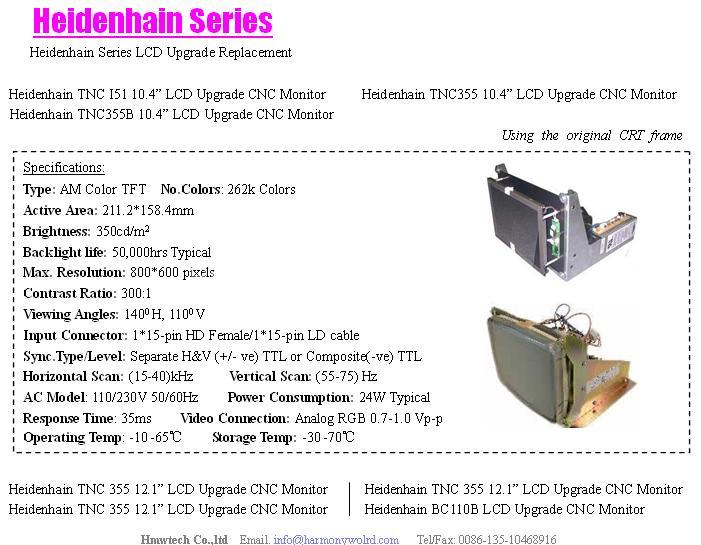 Heidenhain Series LCD Upgrade Replacement cnc monitor
 Heidenhain BE411 LCD Upgrade CNC Monitor
 Hitachi Seiki LCD Upgrade Replacement cnc monitor
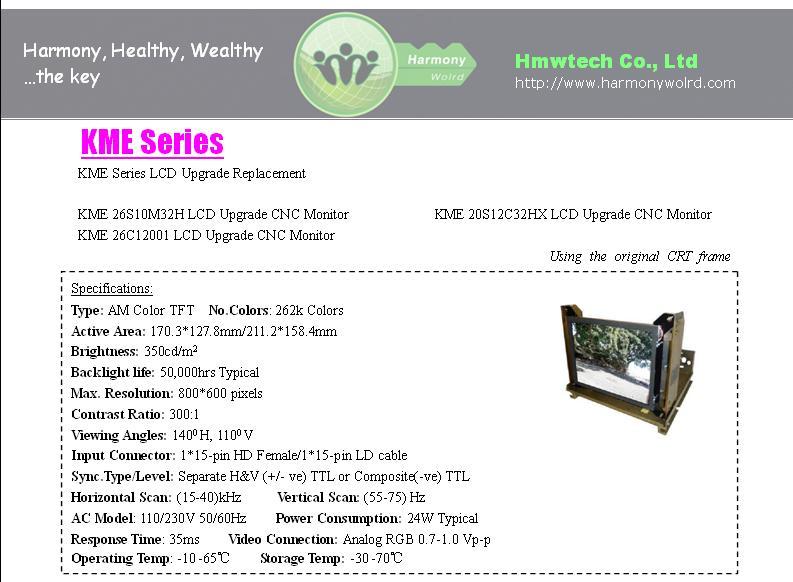 KME 26S10M32H LCD Upgrade CNC Monitor
 Mitsubishi Mazak Series LCD Upgrade cnc monitor
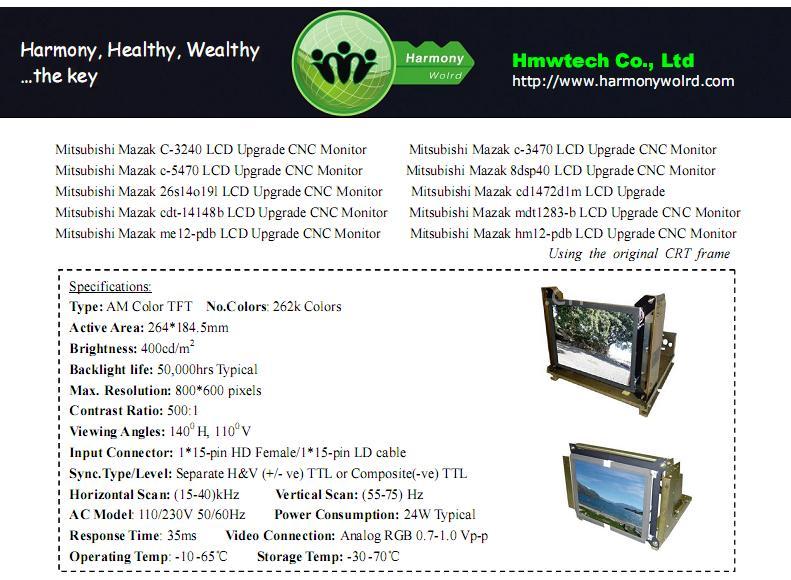 Mitsubishi Mazak c-5470 LCD Upgrade CNC Monitor
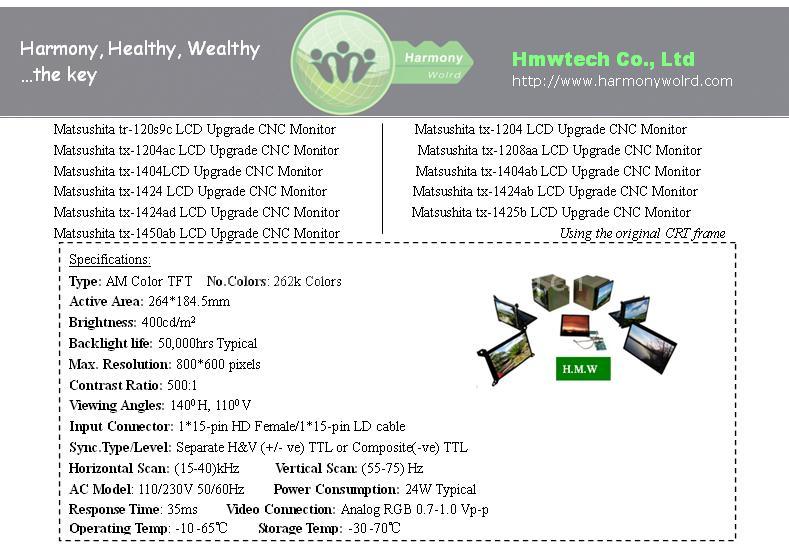 Matsushita Fanuc Series LCD Upgrade cnc monitor
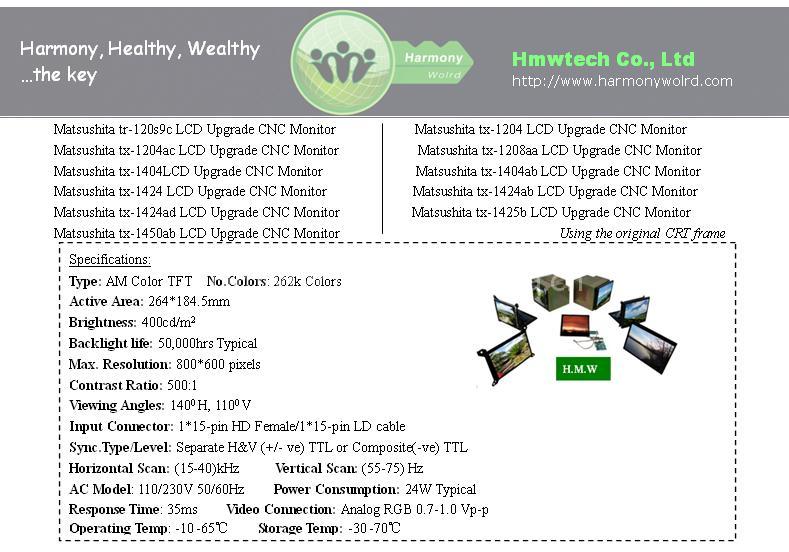 Matsushita tx-1424 LCD Upgrade CNC Monitor