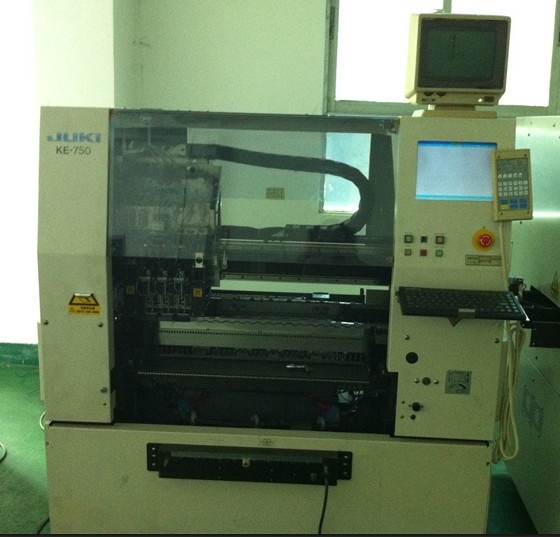
JUKI KE-760 SMT part
Specifications
- Origin
- china
- Price Term
- EX-Work
- Payment Term
- T/T
JUKI KE-760 SMT part is a Electronics Production Machinery product. Key specs — Origin: china; Price Term: EX-Work; Payment Term: T/T.
Product Description
On the basis of the data (the machine data and the one for solder inspection) created on PT200, 1E3C-E-MMB0A-A01-02
this machine corrects the production data using the recognition device (PRU).
Prepare the printed board to be used for solder inspection data.
1. Press [Paste inspection].
. The screen is displayed.
UNLOCK
2. Press
+ [PCB loading PCB recog].
The operations from the board loading until the board recognition are carried out.
After the board recognition, [Print cycle] switch becomes available.
UNLOCK
3. Press
+ [Print 1 cycle].
. The operations from the print operation until the snap-off are carried out.
. Make sure that the solder area and print position of the printed board are correct.
Page 4-34 1E3C-E-OMB04-A03-00 4.7 Before Solder Inspection (For SP80V)
4.7.3 About Color-Sampling Teaching
1. Set the just-printed champion board onto the transport conveyor, then press
UNLOCK + [PCB loading PCB recog]. Product name : Elease M2800 Manufacture’s name : Asahi Kasei Chemicals Corporation
. The operations from the board loading until the board recognition are carried out.
If, for print check, the color-sampling teaching is carried out with film pasted on a board, a correct solder color may not be sampled. Before teaching, therefore, peel off the film so that solder will be on the land of board.
UNLOCK
2. Press
+ [Color teach].
. The sampling frame setting screen is displayed.
1E3C-E-OMB04-A03-00 Page 4-35
4.7 Before Solder Inspection (For SP80V)
. Color-sampling frame setting screen Based on the previously created solder inspection data, the color-sampling frame adjustment screen is displayed for the inspection frame and color data that are set in the first mask-aperture data. Then specify the area where you want to sample the solder color.
[Paste part.] ........Lets you set the frame for sampling a solder color. [Test range] ........Lets you set the frame specifying the test area to be displayed in the test window on the next color-setting screen. [Complete] .........When you have determined the frame position and size targeted for color sampling, press this switch to go to the next color-setting screen.
...............Moves the frame to the right, to the left, up, or down.
Changes the size of the current frame.
[Image expansion]...Enlarges an in-frame image, with the center of the frame aligned with that of the superimposed screen.
. When the current field of view is set to ‘High,’ this switch in the sleep
state. [Hole]..............Lets you move the solder part where color is sampled. [Reset].............Places the frame in the initial state. [High] . [Low] ......Toggles the frame size variation.
Page 4-36 1E3C-E-OMB04-A03-00 4.7 Before Solder Inspection (For SP80V)
. Color-setting screen The color of the color-sampling area that is set at the frame setting screen is measured and the color data is adjusted.
[Auto set] .......... Samples color automatically. [Paste extract.] ..... Lets you sample color manually.
. Use this if [Auto set] cannot sample solder part. [Decision]...........Determines and saves the adjusted solder color data.
(The message “OK to save recog data? [Yes] [No]” appears.
) If you press
button without a check, note that the taught and adjusted data will be discarded.
[Detail config] .......You can sample color, visually checking the state that solder color is separated into HSI graph. Pressing this switch displays the advanced color-sampling screen.
[High] . [Low] ......Toggles the color/brightness variation.
1E3C-E-OMB04-A03-00 Page 4-37 4.7 Before Solder Inspection (For SP80V)
. Advanced color-setting frame screen
[Paste part.] ........Lets you set the frame for sampling a solder color. [Non paste part.] ....Lets you set the frame for specifying the part other than solder color (e.g., board color or silk). [Test range] ........Lets you set the frame specifying the test area to be displayed in the test window on the next color-setting screen. [Complete] .........When you have determined the frame position and size targeted for color sampling, press this switch to go to the next color-setting screen. If inhaled, remove to fresh air or give oxygen. Consult a medical specialist.
...............Moves the frame to the right, to the left, up, or down. In case of contact, immediately flush the skin with water and soap. In case of any abnormality, consult a medical specialist.