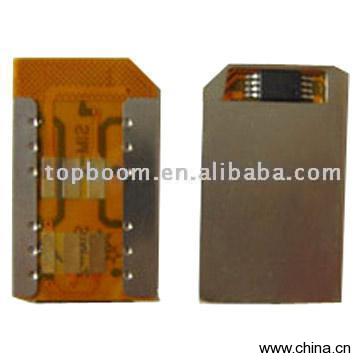
Dual SIM Card is a Mobile Phone Parts product. Key specs — Origin: Hong Kong.
Product Description
Model No.:TB-DUALSIM-009
Product Origin:China
Brand Name
Price Terms Payment Terms:T/T, Western Union
Certification Description:What is Dual Sim Card? Dual SIM card, just as its name implies that two SIM cardin one card holder, two different numbers in one mobile phone. With dual SIM card, you can use more cheaper number to dial out, and receiving freecharge call, which reduce your high mobile fee greatly. Local card and out-of-towncard or match different net system can save your phone charge. Two numbersin one mobile phone available to be chosen at any time, easy to be held and neverworry about changing SIM card frequently.Separate business call from private call, there is a clear difference between Businesscall and private call, using dual sim card, you will have more private space andfreedom, and absolutely privacy. It is easy to operation procedureis very easy,any user can operate it without difficult. Moreover, the most importantpoint is that the two numbers can auto switch online in turn without re poweringon/off. Stable and security, the working elements of new SIM card is only bear the weightof the card by a channel, not the card data transfer. Thus it never happen thedata losing or the data cannot be decoded. As long as it is GSM net, ,You can choosenumber as will, fashion and convenience.Introduction:1) Installation after cards cutting;with menu Self-set auto-switching time from 0-99minutes ( two card)2) Edit and display the telepone number SIM1 or SIM2 phone numbers on screen3) Compatible with all GSM mobileInstallation:1) To take out attached transparent stickers and tear off one piece of it, puttransparent stickers on the back of SIM Card2) Cut the SIM card following the dot line with scissor3) To cut the other SIM card by the same way4) Take out the stainless steel plate from General Dual Card and then install thetwo well-cut SIM Card into the General Dual SIM card holder5) Insert the General Dual SIM card into the mobile phone& ready to enjoy a freelife with two SIM cards in one mobile phoneSpecifications:After installing the Dual Sim Card, You can find the menu of STK in your mobile,and select it, the screen will display:1) SIM-12) SIM-23) Auto Switch4) Edit Number5) LanguageAnd you can complete the following function:1) Two number switching on-line, and the switching time is betwween 01 to 99minutes2) Two kinds of menu languages: English and Chinese3) Can edit the number of two sim cards for displayHow to set the time for auto switch?To select the menu "Auto Switch", and it will display Timer A (00), Timer B(00),"Timer A (00)" is for SIM-1 ,"Timer B(00)" is for SIM-2.Notice: 00min presents switch off, 01-99min presents switch to edit number?To select the menu "Edit Number" and it will display: SIM-1, SIM-2, and you can select"SIM-1" or "SIM-2", to edit the number of relative card.Notice:1) If you only want to assemble one card, please assemble it in SIM1 position(There is symbol on the PCB)2) If you want to recover the SIM card, just insert the card into the labeledrecovering card and stick it tightly