

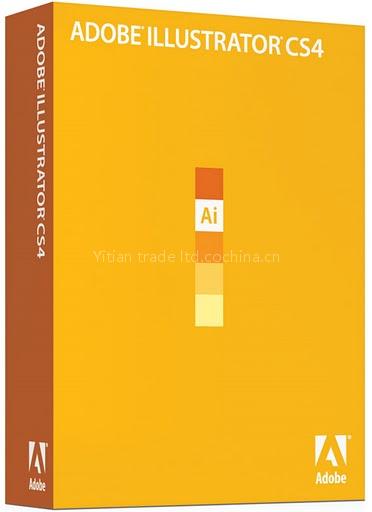
Adobe Illustrator CS4 is a Software product. Key specs — Origin: China (Mainland).
Product Description
Adobe Illustrator CS4 software is a comprehensive vector graphics environment tightly integrated with the Adobe Creative Suite family of products. New features such as multiple artboards, a Blob Brush tool for intuitive vector painting, and transparency in gradients with on-object controls invite you to explore more efficient and creative ways of working.
Integration with Adobe design applications
Share files smoothly with other Adobe professional design applications, collaborate with colleagues, and work easily among multiple tools for different media.
Advanced typography
Enjoy easy type creation and professional control with more than 80 OpenType fonts, paragraph and character styles, paragraph composition, underlining and strikethroughs, transparent effects,and more.
Multiple artboards
Create files containing up to 100 artboards of varying sizes and display them any way you want--overlapping, side by side, or stacked. Save, export, and print artboards independently or together. Save a selected range or all artboards as a multipage PDF file.
Live Color
Explore, apply, and control color variations using Live Color to interactively edit or replace colors. Use the Color Guide panel to quickly choose tints, shades, or harmonious combinations.
Live Trace
Quickly and accurately convert photos, scans, or other bitmap images to editable and scalable vector paths using Live Trace.
Live Paint
Easily paint closed or partially closed objects with the Live Paint Bucket, which automatically detects and corrects gaps. Interactively select colors from a Swatch panel for faster work.
Adobe PDF file creation tools
Create protected, graphic-rich PDF files with Illustrator layers retained, multiple pages, color space and transparency handling, and ultimate prepress control, including printer's marks and bleeds.
In-panel appearance editing
Edit object characteristics directly in the Appearance panel, eliminating the need to open fill, stroke, or effects panels. Work with shared attributes and control display for faster rendering.
Gradients and transparency
Edit gradients directly on your object. Rotate them, add and adjust colors, and create elliptical gradients. You can even define the transparency of individual color stops in a gradient.
- Sketch naturally using the Blob Brush tool that turns strokes into a single filled object; Advanced path controls, graphic styles, and appearance editing enable intuitive vector drawing
- Share files smoothly with other Adobe professional design applications, collaborate with colleagues, and work easily among multiple tools for different media
- Enjoy easy type creation and professional control with more than 80 OpenType fonts, paragraph and character styles, paragraph composition, underlining and strikethroughs, transparent effects, and more
- Create files containing up to 100 artboards of varying sizes and displayed any way you want--overlapping, side by side, or stacked; save, export, and print artboards independently or together; save a selected range or all artboards as a multipage PDF file
- Explore, apply, and control color variations using Live Color to interactively edit or replace colors; use the Color Guide panel to quickly choose tints, shades, or harmonious combinations
Related Products
 Adobe Flash CS4 Professional, accept drop shipping
 wholesale ! windows 7 professional
 Free shipping ,Adobe Acrobat 9 Pro Extended
 100% Genuine& Register Adobe Premiere Pro CS4
 Wholesale Microsoftt Office 2010
 FREE SHIPPING! COMPUTER SOFTWARE ADOBE PHOTOSHOP CS3
 Free Shpping,Hottest Microsoft Office Home and Student 2007
 Microsoft Office Professional 2007 Full Version